Create WhatsApp message templates from a plain description, right inside the platform. Describe your use case, like a payment reminder or a delivery update, and AI drafts a template aligned with Meta's rules, complete with variables you can personalize before you submit.
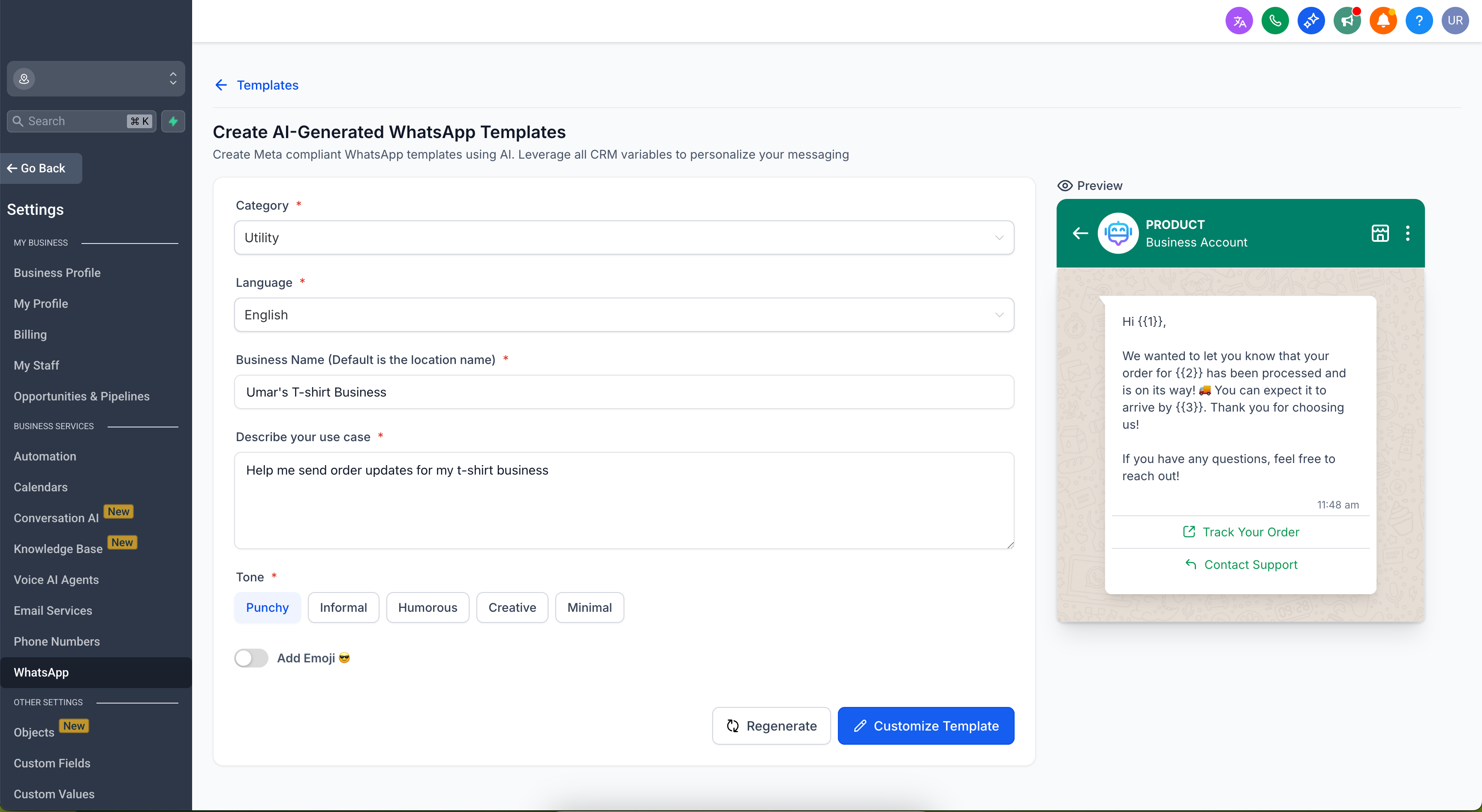
Describe what you want to say and get a drafted, pre-categorized template you can review and submit, instead of building it field by field.
What's New
AI Drafting from a Plain Description
New entry point: Under Create Template, choose AI Template.
Describe, don't build: Give your scenario and audience, and AI drafts the template for you, complete with variables ready to personalize.
Built-in Categorization and Checks
Auto categorization: AI classifies the draft as Utility, Marketing, or Authentication—the same categories Meta uses to apply its messaging rules.
Inline validation: As you draft, you get recommendations on length, formatting, and policy fit before you submit to Meta.
Fully Editable Before Submit
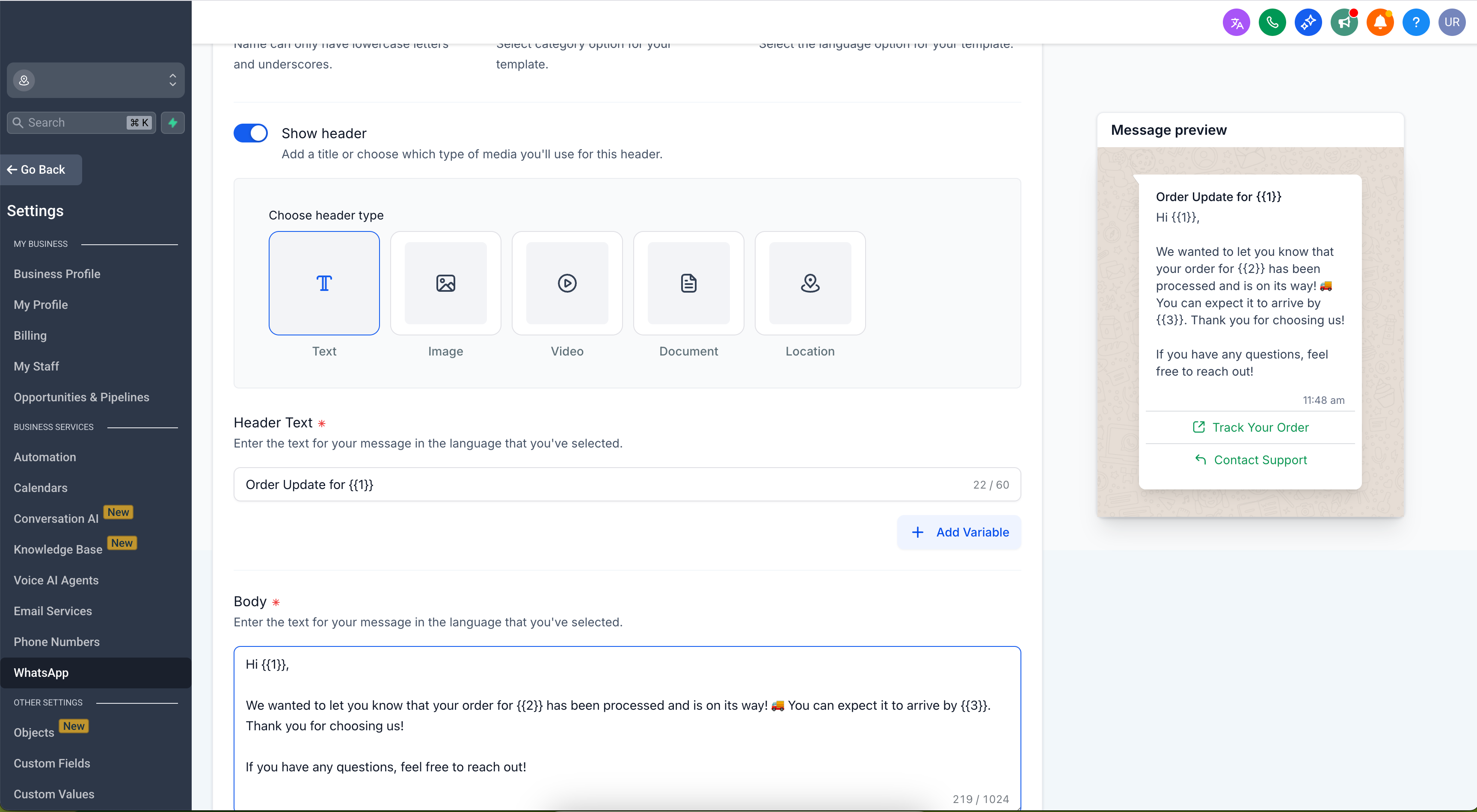
You stay in control: Edit the copy, variables, and CTAs, then submit to Meta for approval when it looks right.
How to Use
Go to CRM → WhatsApp → Templates → Create Template → AI Template.
Describe your use case and audience.
Review the AI-drafted template, its category, and the validation hints.
(Optional) Edit the copy, variables, and CTAs.
Submit the template for Meta approval.
Why This Matters
Meta applies different messaging rules by template category, and Utility templates are not subject to the same per-user marketing frequency limits that Marketing templates are. Getting the category and formatting right before you submit means fewer surprises during approval and message delivery.
The AI template generator drafts with that categorization built in and flags formatting or policy issues while you write, so review happens up front instead of after a rejection.
Open CRM → WhatsApp → Templates, choose AI Template, and draft your next template from a description.
Was this article helpful?
That’s Great!
Thank you for your feedback
Sorry! We couldn't be helpful
Thank you for your feedback
Feedback sent
We appreciate your effort and will try to fix the article